
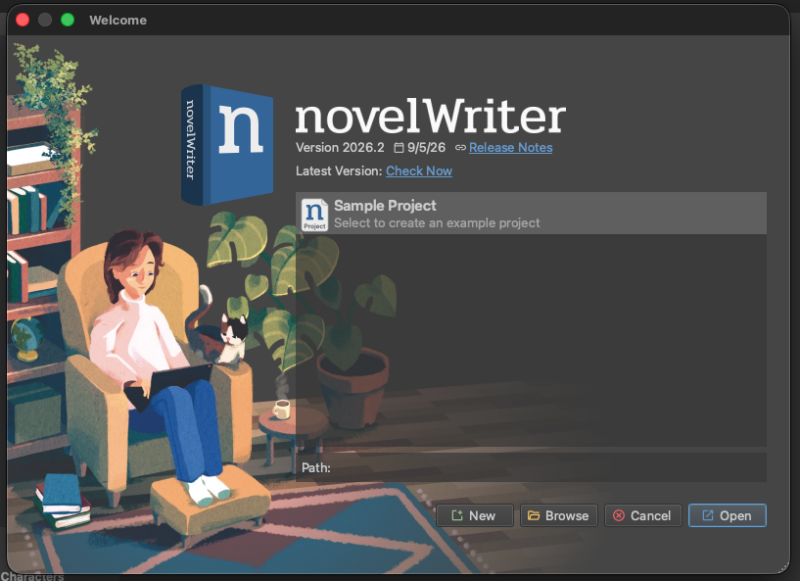
As of novelWriter 26.2 (September 2026), there are no more DMG installers for macOS. If the Downloads page sent you looking for one, you won’t find it — but the fix below takes about five minutes, and it’s simpler than the official instructions currently make it look.
The DMG builds are gone
novelWriter’s own macOS install page says it plainly: disk image releases have stopped, and the only supported route now is installing the Python package from PyPI. Fair enough — but the PyPI install instructions are where things get confusing, because they show three commands that, on a clean modern Mac, mostly don’t work as written.
Where the official pip instructions fall over
The classic instructions boil down to:
pip install novelwriter
pip install --upgrade novelwriter
novelwriter
On macOS Tahoe, that first line typically fails outright with something like (unless it’s “command not found”, which means it’s not installed at all).
error: externally-managed-environment
× This environment is externally managed
This is PEP 668 at work. Both Apple’s system Python and Homebrew’s Python are marked “externally managed,” which blocks pip install from dumping packages straight into a shared environment where they could clash with the OS or other tools. It’s a safety rail, not a bug — but it does mean the classic three-liner is dead on arrival.
Interestingly, novelWriter’s own PyPI page has quietly moved on from this too: it now recommends pipx instead of raw pip, for exactly this reason.
pip vs pipx: what’s actually different
- pip installs a package into whichever Python environment is currently active. That’s ideal for libraries you’re going to
importinto your own code, but it’s a poor fit for full applications — everything lands in one shared environment, and on a protected system it simply refuses to run. - pipx installs each command-line application into its own isolated virtual environment, containing only that app’s dependencies, then symlinks just the executable onto your PATH. You end up with one clean command per app, no cross-contamination between projects, and the system Python’s protections stay untouched because pipx never writes to it.
For something like novelWriter — a program you launch, not a library you import — pipx is the right tool for the job, which is presumably why the docs switched to recommending it.
What you need before you start
- Homebrew, to install pipx itself.
- Python 3, which recent macOS versions already ship, and which pipx will use automatically.
Step 1: Install Homebrew (skip this if you already have it)
Check first:
brew --versionIf that comes back with “command not found,” install Homebrew with the official one-liner:
/bin/bash -c "$(curl -fsSL https://raw.githubusercontent.com/Homebrew/install/HEAD/install.sh)"Near the end, the installer prints one or two eval "$(...)" lines to add Homebrew to your shell’s PATH. Run those (or just open a new Terminal window) before moving on.
Step 2: Install pipx
brew install pipx
pipx ensurepath
Close and reopen Terminal (or run source ~/.zshrc) so the PATH change takes effect, then check it worked:
pipx --versionStep 3: Install novelWriter
pipx install novelwriterHere’s what that actually produced on my Mac Studio:
installing novelwriter...
Using Python 3.14.7 environment at: .
Resolved 7 packages in 483ms
Prepared 7 packages in 1.67s
Installed 7 packages in 56ms
 + novelwriter==26.2
 + pyenchant==3.3.0
 + pyobjc-core==12.2.2
 + pyobjc-framework-cocoa==12.2.2
 + pyqt6==6.11.0
 + pyqt6-qt6==6.11.2
 + pyqt6-sip==13.12.0
  installed package novelwriter 26.2, installed using Python 3.14.7
  These apps are now available
    - novelwriter
done! ✨ 🌟 ✨
Worth flagging: pyenchant, the spell-checking library, came along automatically. On Linux you’d normally need to install the native enchant library yourself through your package manager; on macOS, pyenchant’s wheel bundles a working copy, so there was no separate brew install enchant step needed.
Step 4: Launch it
novelwriterAnd that’s genuinely it. No Gatekeeper “unverified developer” warning, no dragging anything into Applications — it just opens.
Keeping it up to date
pipx install --upgrade novelwriterNot pip install --upgrade — that phrasing is a holdover from the old PyPI page wording. pipx wraps the same verb, so this is the one that actually works.
Correct as of novelWriter 26.2 on macOS Tahoe, September 2026. Package managers move on, so if a future release changes any of this, novelWriter’s own PyPI install page is the first place to check.