
 Great News: I’ve been meaning to add a general WordPress forum to this site for a while, but none of the options seemed to work well for what I wanted to do.
All I needed was a simple discussion forum, integrated into WordPress – I really didn’t want to mess around with phpBB or the likes. bbPress is in a constant state of beta and gives me a headache every time I want to make it work, SimplePress is ugly and basically all of the above are overcomplicated.
Enter Tal.ki – an embeddable forum solution that promises to give me a forum with only one line of code, or alternatively as a WordPress Plugin! It’s not live on this site – let’s test it out!

What is Tal.ki?
First of all, Tal.ki is a hosted forum solution so you won’t have to install anything on your site. It can work as a standalone website, or be integrated into an existing website (such as WordPress). The beauty is that all kinds of integration nightmares a la bbPress are necessary. Just activate the Tal.ki plugin (or embed the code they give you into any page or post) and you’ve got yourself a forum.
Tal.ki accepts plenty of login options so there’s no need to authenticate your members: Facebook, Twitter, WordPress.com, OpenID, Yahoo, Google or even your own self-hosted WordPress site will be enough to recognise who’s posting. And that’s not a full list of login options either!
Since Tal.ki is a hosted forum, you can embed the same forum on more than one website if you’re using standalone code (this won’t work with the WordPress plugin as that’s tied to the website it’s activated on). In my case that’s a superb idea as I have more than one site dedicated to the same topic: wpguru.co.uk and wphosting.tv – but both audiences would benefit from the same topics.
My servers are very happy about not having to take extra load either, which makes Tal.ki such a lightweight option to add to any website. At the same time, Tal.ki is clever enough to read the existing stylesheet of your Theme and use the same fonts and colours so it looks like it’s part of our site. Now THAT’S clever!
Features
There are two versions available: one is completely free, the other one is only $50 per year. The main difference is that the free version only displays 15 topics and 5 sub forums on display. The Pro version adds a search option as well as image uploads (yes IMAGE UPLOADS) to the mix, as well as posts only visible to logged in members.
There appears to be a level above this but I’m not sure how one would sign up for it or how much it costs – I am interested though, if anyone has information about the Platinum package please let me know!
As with other comment systems you get notified via email when someone replies to your topic – however there’s a snag to this with Tal.ki: the link you’re sent takes you to the standalone forum rather than the embedded version on your website… not good! NO sidebar, no branding, no context. But then, maybe it’s me not having configured it properly.
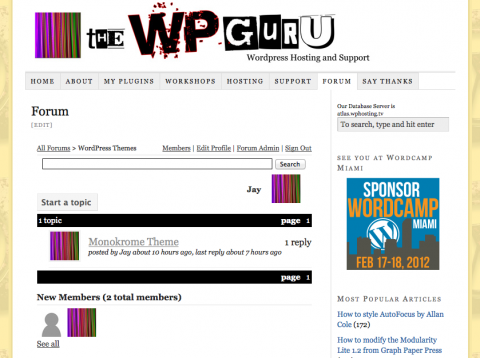
Testing Testing
At this stage I’d like to test how well it could work for me – so please start posting in the forum, lets see how this can work. I’m using the Pro version.
Any comments – below or in the forum – would be much appreciated.
I’m phasing it out too, it’s just not as mature as I’d like it to be. Sorry, Tal.ki!
I use WP Symposium for my community needs. It’s easy to set up and also allows members to have their own profile page. It does cost $39 a year but it’s being updated constantly and the developer takes on new ideas. Well worth looking into
Hi, I need a tal.ki forum programmer that I can hire to do some tweaks. If anybody does, please email me.
Thanks